
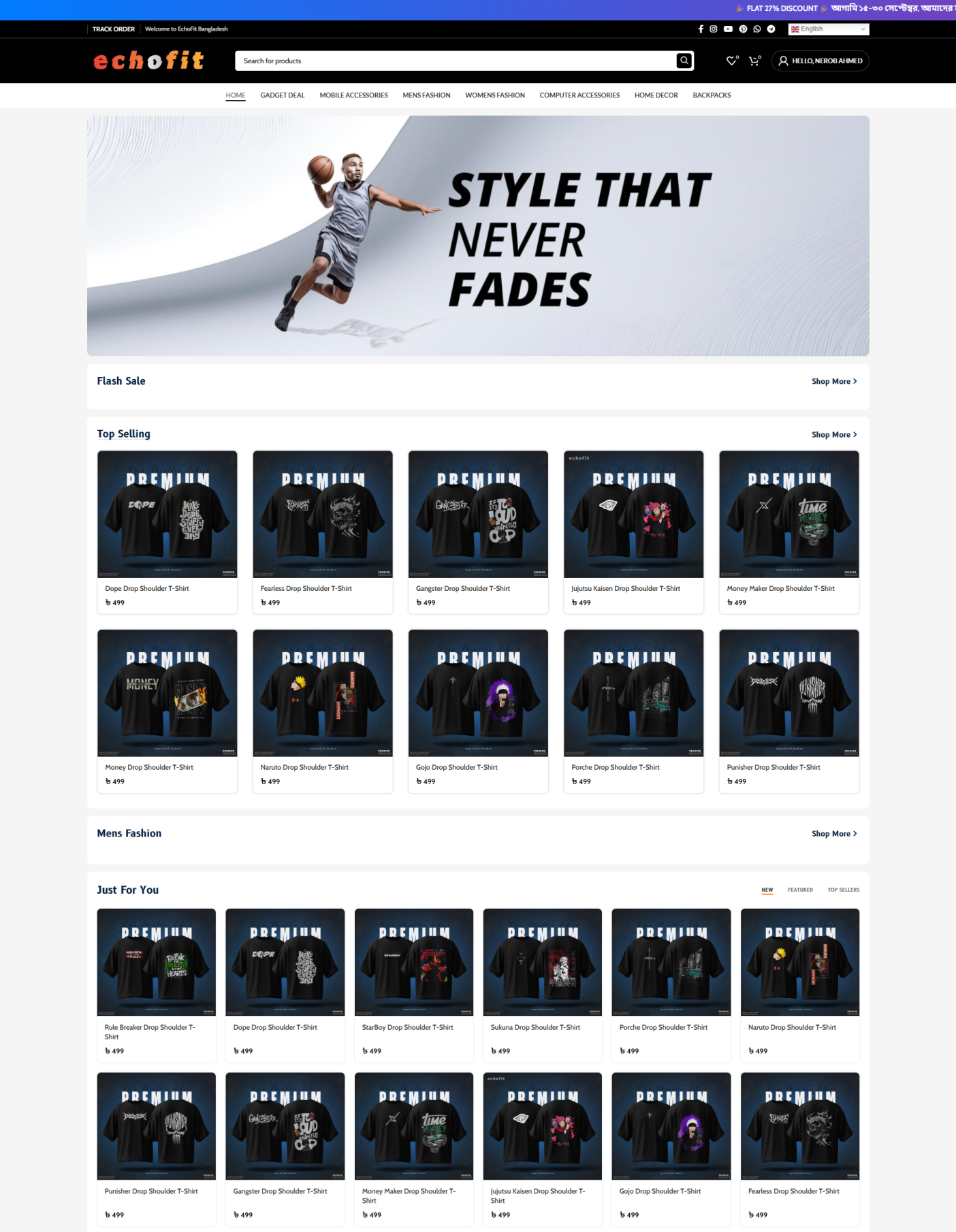

The best premade WordPress website backup file/code to make Multi-Vendor Ecommerce Website. Your user can buy items from this site and you will get an email after placing the order. And your user also gets an email if his order is approved.
✅ Made with WordPress
✅ Full Customizable
✅ Support 90+ Payment Methods
✅ Responsive for any devices
✅ Social Login System Support
✅ Multi-Step Checkout
Note: You have to buy a domain & web hosting account to use this code/site. We will not provide domain and web hosting with this code.
Features:
- Selling any Physical products.
- Advance delivery charges can be taken from the customer through the website.
- Social Login System Support.
- Design with Elementor page builder & you can customize this site.
Important Notes:
1. You’ll need to purchase a domain and web hosting separately to use this code.
We do not provide hosting or domain services.
2. Use this code for your business only—avoid purchasing from unauthorized sellers. We are the original creators.
3. As it is a digital delivery. there will be No Refund.
Multi-Vendor Ecommerce Website Source Code / Script (WPVivid Backup File)
- After completing your order then go to My Account> Downloads . And download the backup zip file.
- Then install WordPress on your cPanel.
- Then install WP Vivid wordpress plugin to restore this site from the backup file.
- After restoring, then open the “Admin Login Information” file and use this username & password.
- Change Administrator Email: Login to Dashboard and go to settings>general>and set administrator email. Just type your email address and verify your email.
- Change Order Email: Go to WooCommerce>Settings>Emails Tab, and set order notification email address.
- Change Admin Login Info: After logged, just go to hover over users>profile. Then change admin information.


Reviews
There are no reviews yet.